For artists, galleries and estates
Sign your works.
Order seals, install the app, keep your twelve words, confirm your key once, sign the first work.
Version 2026.10.07 · signing certificate SHA-256 ddeebcca…cb3dd998
Para artistas, galerías y herederos
Firme sus obras.
Pida sellos, instale la app, guarde sus doce palabras, confirme su clave una vez y firme la primera obra.
Versión 2026.10.07 · certificado de firma SHA-256 ddeebcca…cb3dd998
Before you startAntes de empezar
- Signing needs an Android phone with NFC. There is no iPhone app yet; any inexpensive Android phone works for signing. Checking a seal works on every NFC phone, iPhone included, with no app.
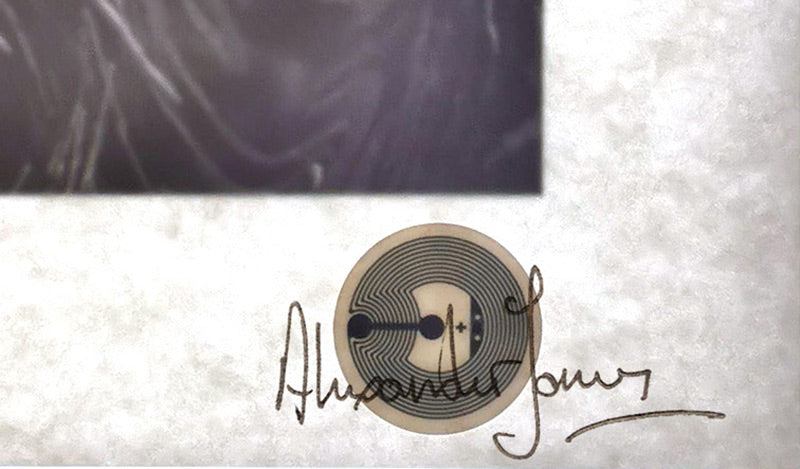
- Seals: €4 each, sent on request — write to go@123automate.it with the quantity; payment and delivery (a pickup point is fine) are agreed individually, and the address is never published. NXP NTAG 424 DNA chips, about the size of a coin.
- Where to stick them: on the back of the stretcher or frame, under a sculpture or object, inside the foot of a vessel. Not on metal (the phone cannot read through it). Not for objects that go in a dishwasher.
- Time: signing takes a few seconds per seal, one seal at a time — a chip is signed only while it touches the phone. With the record ready, about a minute per work.
- Many works? Each work and each numbered print needs its own record and seal. There is no batch signing yet; we do not prepare records for artists, but an assistant or someone you trust can do it for you — we will gladly explain every step to them. Larger orders of seals: price on request.
- Stuck at any step? Write to go@123automate.it with a screenshot — we answer in English or Spanish.
- The app is free, and so is checking. It is installed from this site, not Google Play (it is not published there yet): Android will ask you to allow it.
- Para firmar hace falta un móvil Android con NFC. Aún no hay app para iPhone; cualquier Android económico sirve para firmar. Comprobar un sello funciona en cualquier móvil con NFC, iPhone incluido, sin app.
- Sellos: 4 € cada uno, bajo pedido: escriba a go@123automate.it con la cantidad; el pago y la entrega (vale un punto de recogida) se acuerdan individualmente, y la dirección nunca se publica. Chips NXP NTAG 424 DNA, del tamaño de una moneda.
- Dónde pegarlos: en la parte trasera del bastidor o del marco, debajo de una escultura u objeto, dentro del pie de una pieza. No sobre metal (el móvil no lee a través). No en objetos que van al lavavajillas.
- Tiempo: firmar lleva unos segundos por sello, de uno en uno: el chip se firma solo mientras toca el móvil. Con el registro listo, alrededor de un minuto por obra.
- ¿Muchas obras? Cada obra y cada estampa numerada necesita su propio registro y sello. Aún no hay firma por lotes; no preparamos los registros por los artistas, pero puede hacerlo un asistente o una persona de confianza: con gusto le explicamos cada paso. Pedidos grandes de sellos: precio a consultar.
- ¿Se atasca en algún paso? Escriba a go@123automate.it con una captura: respondemos en español o en inglés.
- La app es gratis, y comprobar también. Se instala desde esta web, no desde Google Play (aún no está publicada allí): Android le pedirá permiso.
1Install or updateInstalar o actualizar
- Open this page on the phone and tap Download the app.
- Open the downloaded file. If Android asks, allow your browser to install unknown apps.
- Tap Update (or Install).
- If it says App not installed: uninstall the old NFCSigner or ArtFirma app (long-press its icon → Uninstall), then open the file again.
- Abra esta página en el móvil y pulse Descargar la app.
- Abra el archivo descargado. Si Android lo pide, permita al navegador instalar apps desconocidas.
- Pulse Actualizar (o Instalar).
- Si dice App no instalada: desinstale la app NFCSigner o ArtFirma anterior (mantenga pulsado el icono → Desinstalar) y abra el archivo de nuevo.
2Your key: twelve wordsSu clave: doce palabras
- Open the app → Create new key (12 words). The words are your signing key.
- Write them on paper and keep it safe. Never photograph them or send them to anyone, including us.
- Tap I wrote them down and confirm the words it asks for.
Lose the words — you cannot sign new works with this key (seals already signed stay valid). Someone else gets them — they can sign in your name. Already have words? Choose I already have my 12 words. Plan who inherits them: heirs & estates.
- Abra la app → Create new key (12 words). Las palabras son su clave de firma.
- Escríbalas en papel y guárdelas bien. Nunca las fotografíe ni las envíe a nadie, tampoco a nosotros.
- Pulse I wrote them down y confirme las palabras que le pida.
Si pierde las palabras, no podrá firmar obras nuevas con esta clave (los sellos ya firmados siguen siendo válidos). Si otra persona las obtiene, podrá firmar en su nombre. ¿Ya tiene palabras? Elija I already have my 12 words. Piense quién las heredará: herederos.
3Confirm your key (once)Confirme su clave (una vez)
- In the app: ⚙ → Register as artist. Enter your name and your website — or, without a website, your profile page (Artlogic, a link page, Instagram).
- Tap Copy the line (
artfirma-key=…) and put it where you entered: on a website, a pageartfirma(Shopify: Online Store → Pages → Add page); on a profile page, in its text, visible without logging in. - Back in the app: Check & register. Green card “Registered” — done.
Checked once: after “Registered” you can remove the line. People checking your seals will see where your key was confirmed — your website, or the profile page. A post or comment cannot confirm a key, only a profile or a website.
- En la app: ⚙ → Register as artist. Escriba su nombre y su web, o, si no tiene web, su página de perfil (Artlogic, una página de enlaces, Instagram).
- Pulse Copy the line (
artfirma-key=…) y póngala donde indicó: en una web, en una páginaartfirma(Shopify: Tienda online → Páginas → Añadir página); en una página de perfil, en su texto, visible sin iniciar sesión. - De vuelta en la app: Check & register. Tarjeta verde «Registered»: listo.
Se comprueba una vez: después de «Registered» puede quitar la línea. Quien compruebe sus sellos verá dónde se confirmó su clave: su web o su página de perfil. Una publicación o un comentario no confirman una clave; solo un perfil o una web.
4Sign your first workFirme su primera obra
- In the phone's browser open a public page of the work with its title and a photo — your shop, website, Artlogic, or even an Instagram post.
- Share → ArtFirma (Sign this artwork). Check the fields (title, year, size, medium), fix anything, tap Use this record for signing.
- Wait for ✓ … published under the work number.
- Hold a new seal to the back of the phone until Tag signed. If it says Tag was lost, hold it again.
- Tap Open link: the page shows your name and the record. Stick the seal on the work.
A saved record never changes: the seal carries its fingerprint. To correct it, save it under a new work number. Editions: one record and one seal per numbered print. Galleries sign with their own registered key; the page then reads “Signed by Gallery on behalf of the artist”.
- En el navegador del móvil abra una página pública de la obra con su título y una foto: su tienda, web, Artlogic o incluso una publicación de Instagram.
- Compartir → ArtFirma (Sign this artwork). Revise los campos (título, año, medidas, técnica), corrija lo necesario y pulse Use this record for signing.
- Espere a ✓ … published bajo el número de obra.
- Acerque un sello nuevo a la parte trasera del móvil hasta Tag signed. Si dice Tag was lost, acérquelo otra vez.
- Pulse Open link: la página muestra su nombre y el registro. Pegue el sello en la obra.
Un registro guardado no cambia: el sello lleva su huella. Para corregirlo, guárdelo con un número de obra nuevo. Ediciones: un registro y un sello por cada estampa numerada. Las galerías firman con su propia clave registrada; la página dirá «Firmado por Galería en nombre del artista».
What we read from your artwork pagesQué leemos de las páginas de sus obras (EN) · Run it yourself, without depending on usHágalo por su cuenta, sin depender de nosotros